


Blog

Listen to the Blog
When setting up HubSpot for your team, small settings can make a big difference.
Things like language, date format, and number format help users understand data clearly and avoid confusion.
If you're working with a global team or just want consistency across your account, setting default user preferences is a good first step.
In this guide, I’ll show you how to customise these settings in just a few clicks.
Why You Should Configure This First in HubSpot
Setting the default language and format helps you:
- Keep data consistent across your team
- Avoid confusion with date formats (like DD/MM vs MM/DD)
- Improve user experience for new team members
- Save time by not fixing formatting issues later
It’s a small setup, but it makes your HubSpot account cleaner and easier to use.
What You Need Before You Start
Before you start, make sure:
-
You have access to your HubSpot account
- You have admin or settings permissions
How to Set Default Language and Format in HubSpot
You can configure this in a few clicks by following these steps:
-
Log in to your HubSpot account
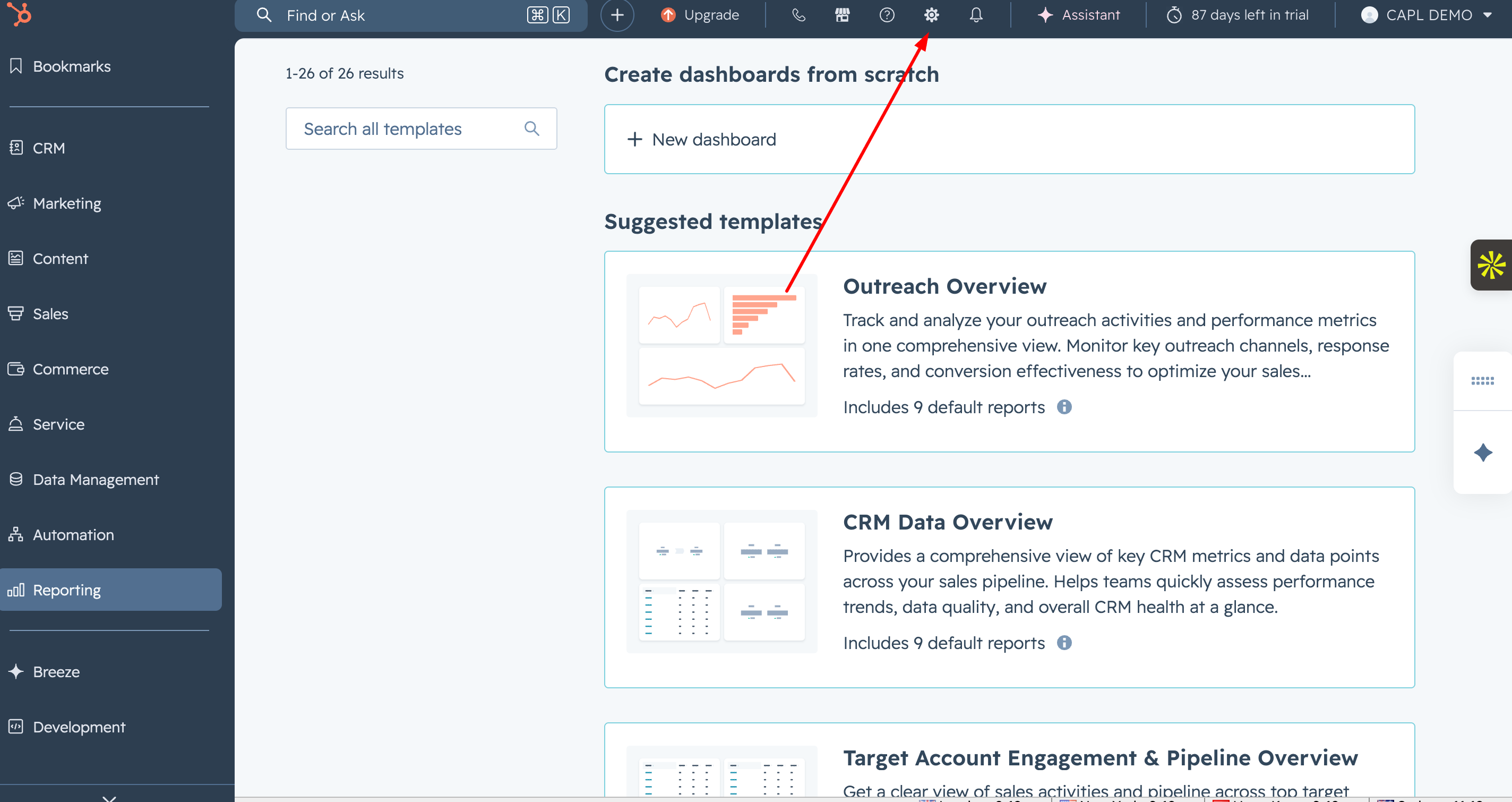
- Click on the Settings icon in the top navigation bar
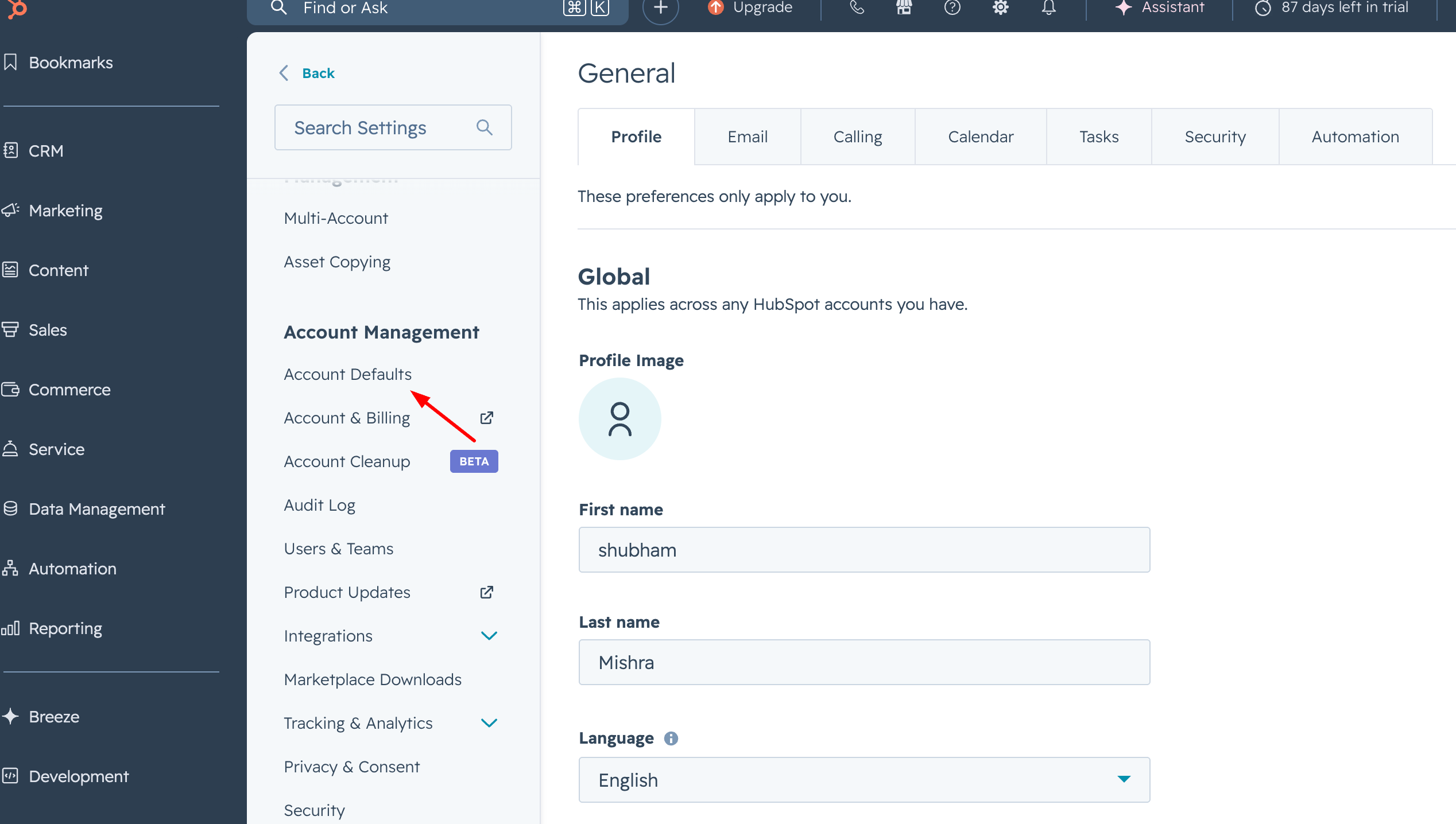
- In the left sidebar, click on Account Defaults
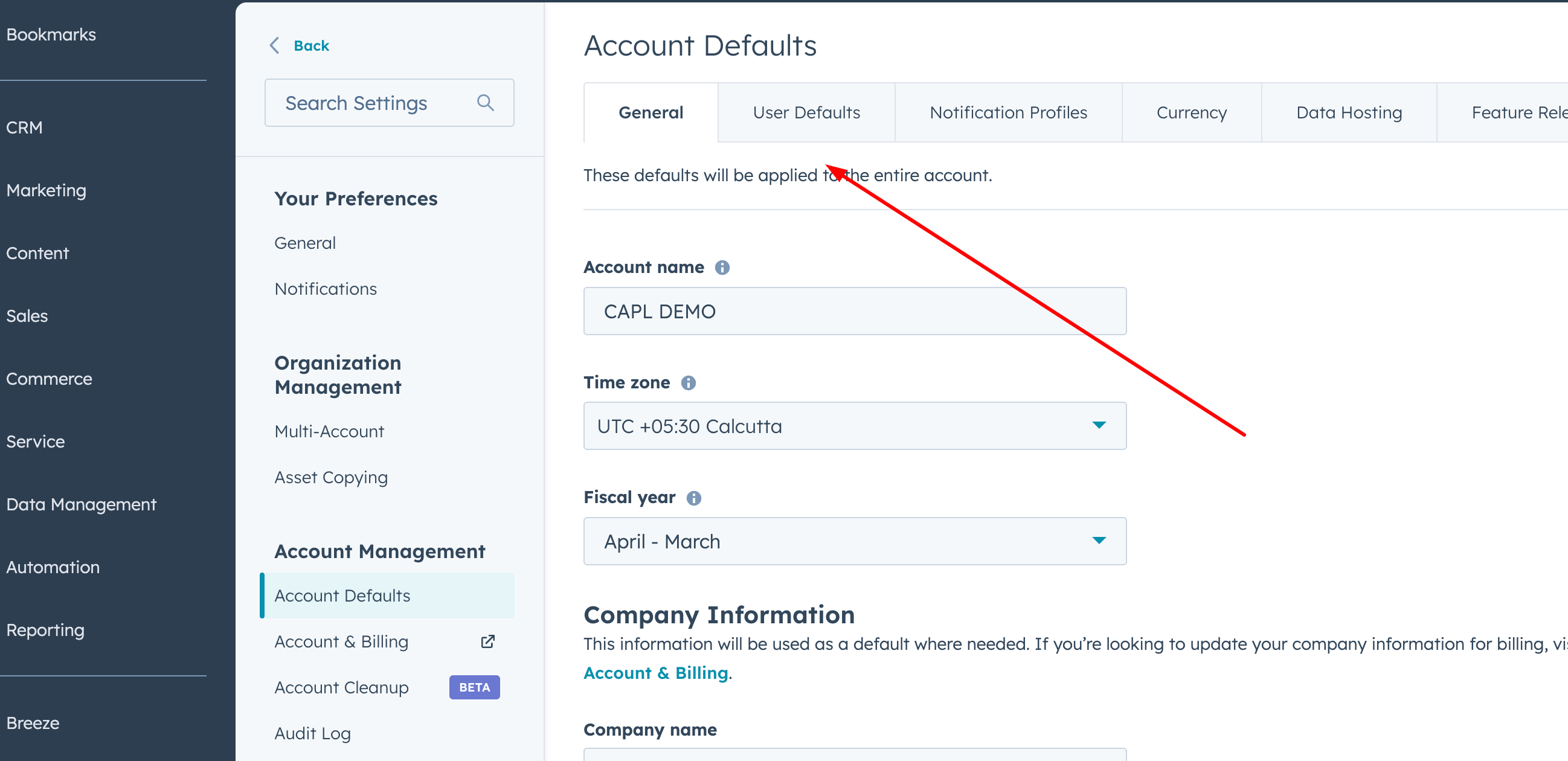
- Open the User Default tab
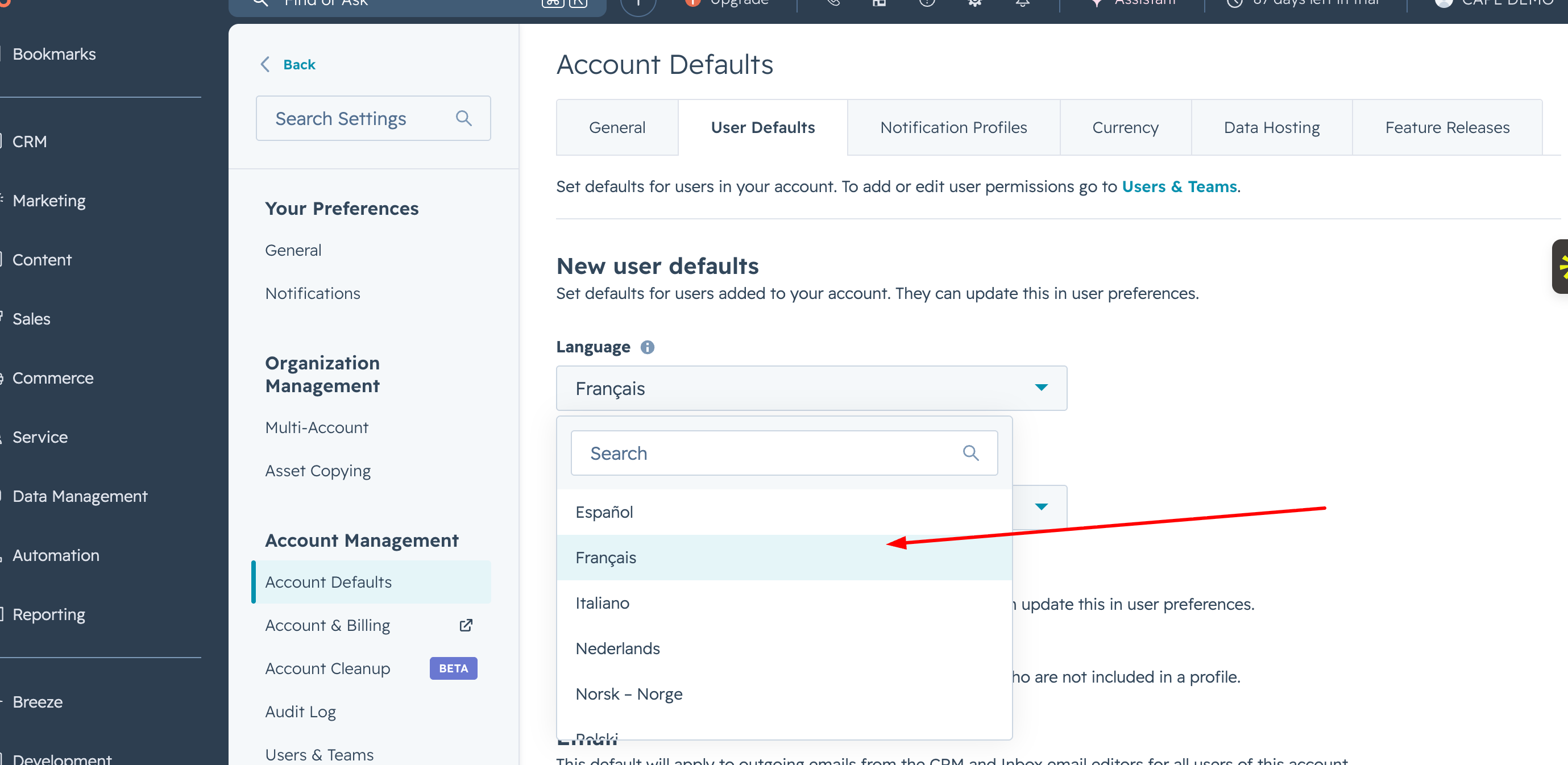
- Select your preferred Language
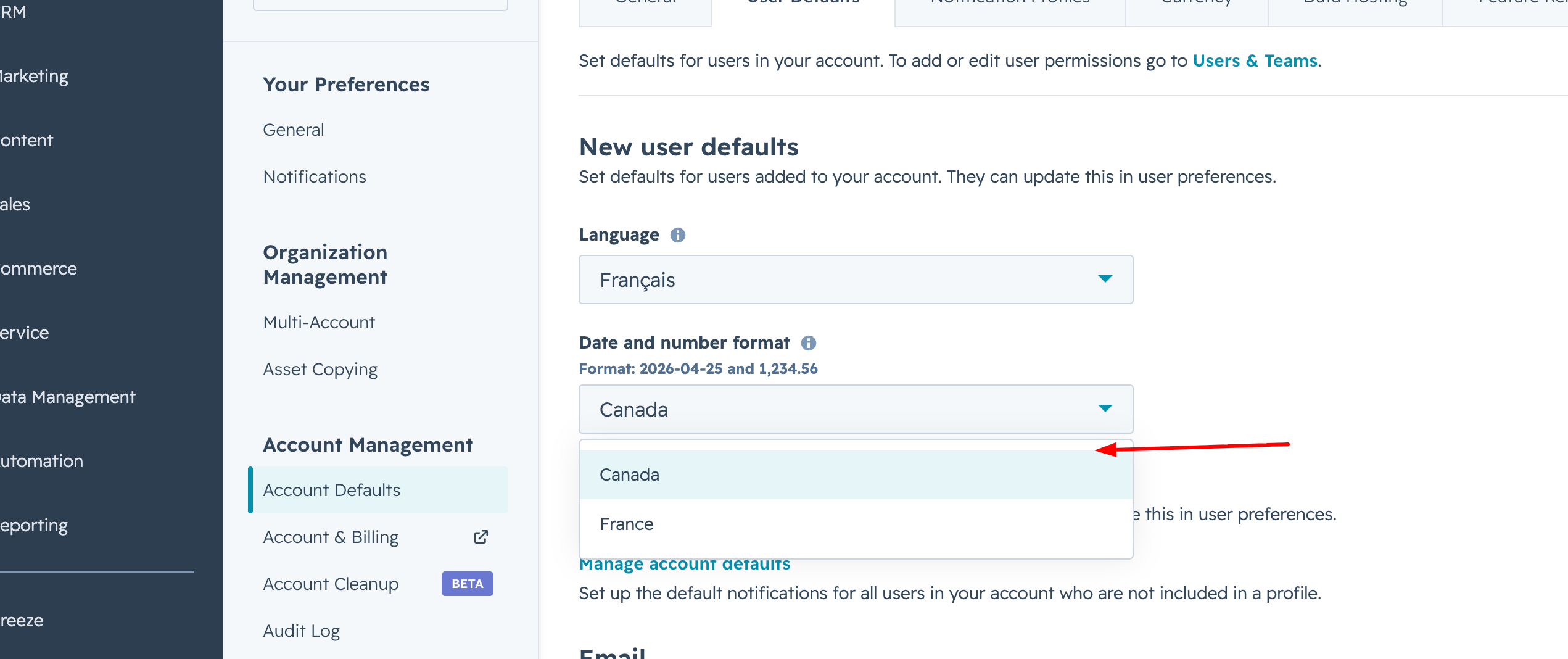
- Choose the Date and Number Format based on your country
- Click on Save
That’s it, your default settings are updated.
Common Issues
Here are a few things to keep in mind:
-
Changes apply only to new users
Existing users can still have their own settings - Custom properties won’t be translated
Only the HubSpot interface language changes - Wrong date format confusion
Make sure you choose the correct country format to avoid misinterpretation
Conclusion
Setting the default user language and format in HubSpot is a quick but important step.
It helps your team stay aligned and improves overall usability.
I’m a Consultant, Developer, and Entrepreneur who loves to help people make their businesses grow. I’ve been working in the tech industry for over 7 years, and my passion is helping others get the most out of technology.
Related Post
You may also be interested in
-

How to Add a User in HubSpot CRM (Step-by-Step Guide)
Adding users to HubSpot is one of the first steps when setting up your team's CRM. ...

-

How to Add Currency in HubSpot (Step-by-Step Guide for Multiple Currencies)
If you’re working with international clients, setting up currencies correctly in HubSpot ...
-

How to Change Time Zone in HubSpot (Step-by-Step Guide for Accurate Data & Scheduling)
If your emails, tasks, or reports in HubSpot are showing the wrong time, it can quickly ...